

Skip to content
Catedral de Luz in 3D
Loading the point cloud…
Living heritage · Luz, Minas Gerais

Catedral de Luz

Inaugurated on September 21, 1941, the Catedral de Luz was conceived as an adaptation of St. Peter's Basilica in Rome. Its construction brought together the work and participation of the local community.

Drag to rotate the cathedralSwipe sideways to rotate the cathedral
Explore in 3D

The cathedral, in your hands.

Rotate the cathedral, zoom in, and get close to the facade, the tower, and the dome. Choose a numbered point or double-tap any detail to go to it. The image becomes sharper little by little as you explore. In Mesh and Points, see the same cathedral in its shape alone; at the facade, you can go in through the door.

0%Loading the cathedral in 3D
Overview
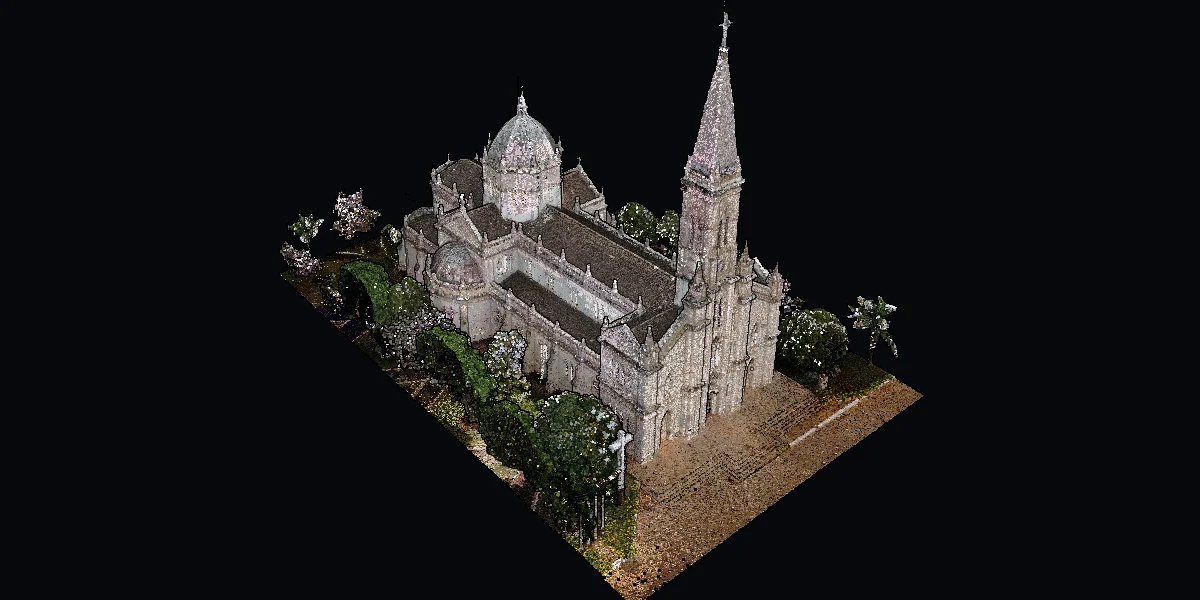
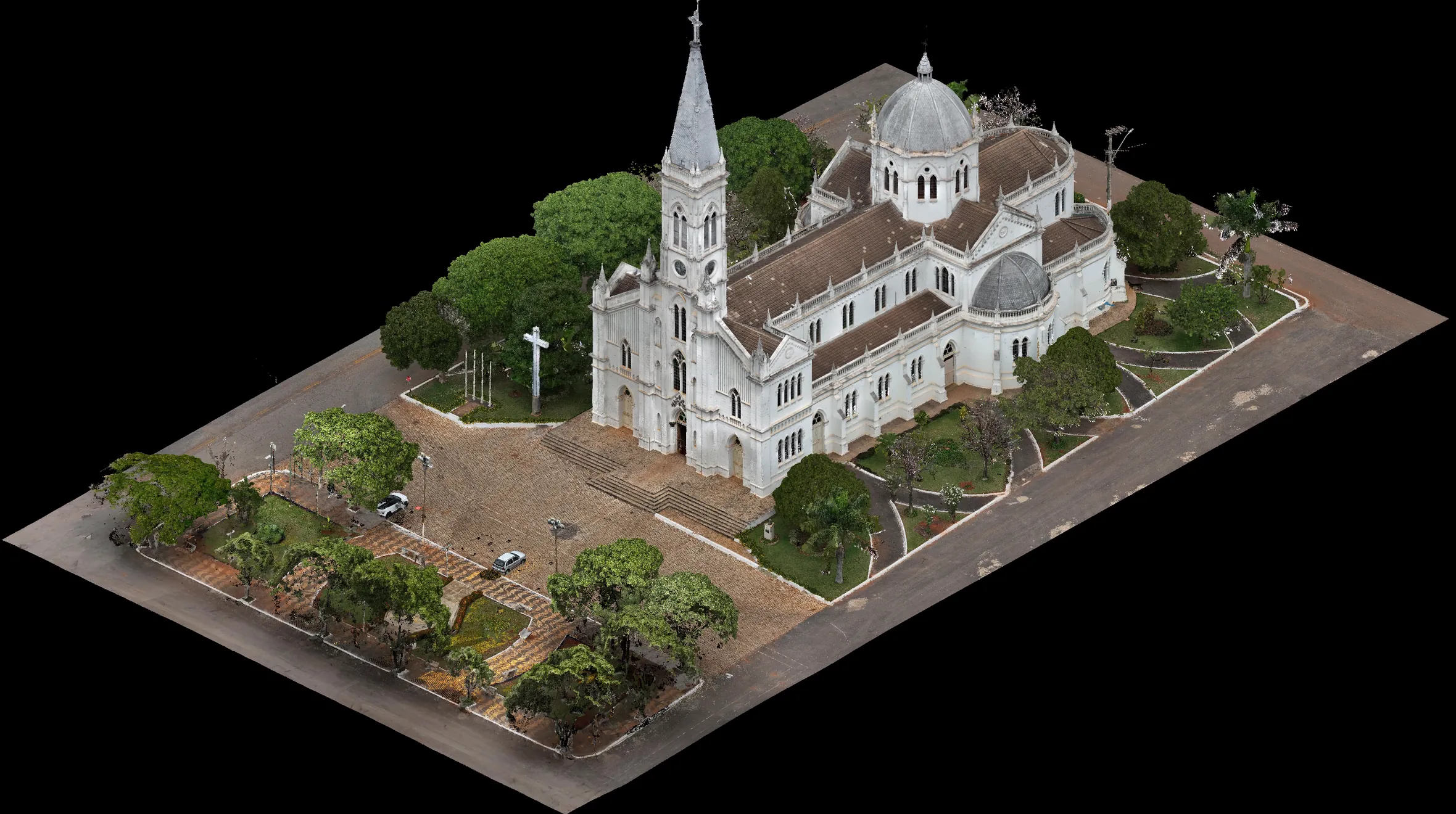
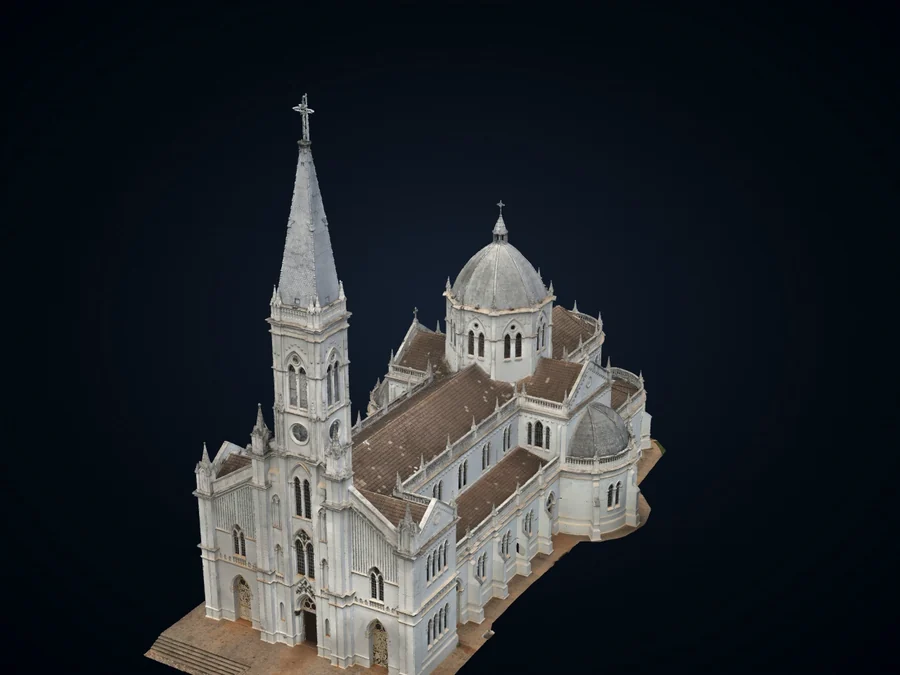
OverviewThe cross-shaped plan: the tower on the facade, the nave, the transept with its apses, and the dome over the crossing.
Drag to rotate · scroll wheel zooms · right button pans · double-click zooms in on a detailSwipe sideways to rotate · pinch to zoom · double-tap zooms in on a detailQuality: —
Light and shadow

The path of the sun.

See the light and shadows on the cathedral on any day and at any hour of the year. Pick a day and drag the time, or let the day go by: the sun rises, crosses the sky over Luz and sets, and the shadows of the tower and the dome move with it.

0%Preparing the cathedral
9h00

Sun position calculated for Luz (MG). The model shows only the cathedral, without clouds, trees or nearby houses.

Hologram

A projection of light.

The shape of the cathedral drawn in light alone, like a projection from science fiction.

0%Preparing the cathedral
Augmented reality

The cathedral in your space.

The cathedral appears in 3D on your table, on the living-room floor or on top of the printed card, seen through your phone camera.

Use it on your phone or tabletOn a computer, point your phone camera at the code of each option: it opens straight on the device.Tap one of the options below and point the device camera.
The cathedral and the square in 3D, as they appear in augmented realityIn your space

On a table, on a pedestal or on the floor

The device camera finds a surface and the cathedral appears to scale, with the whole square around it: small like a model on the table, or larger on the floor, so you can walk around it.

Phones and tablets with Android (ARCore) or iPhone and iPad (Quick Look).
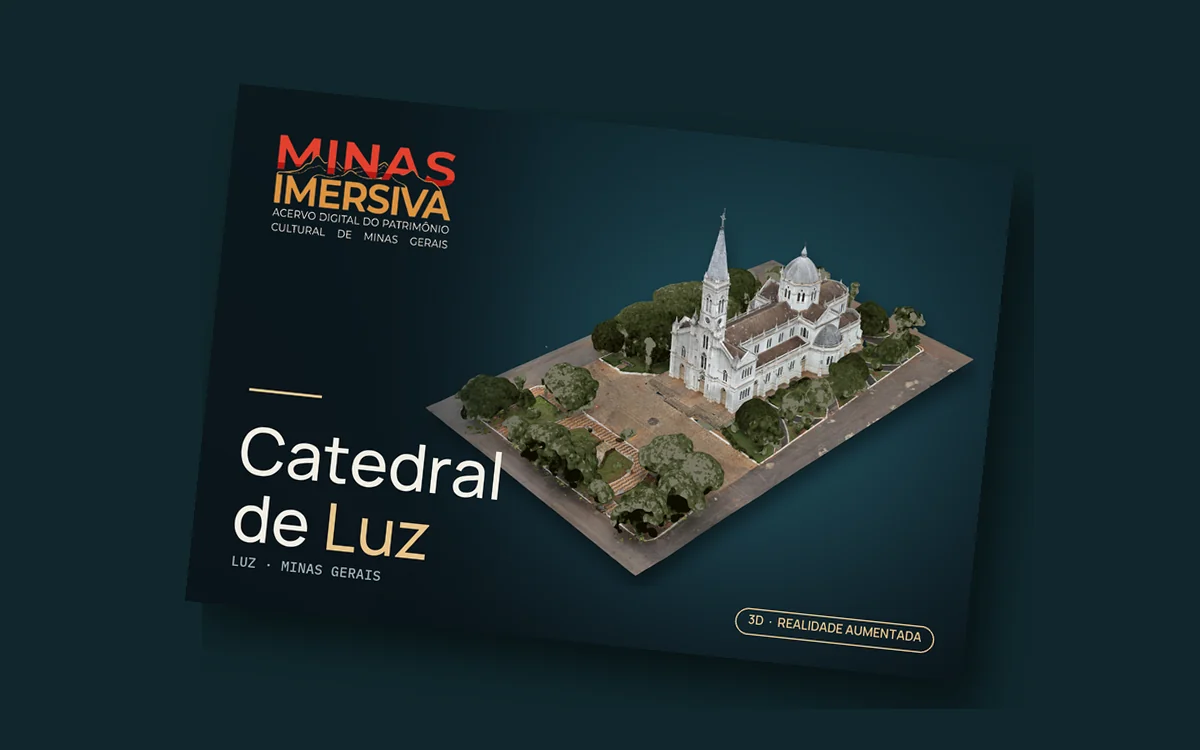
The printed card of the Catedral de LuzOn the card

On the printed card

Point the camera at the front of the card and the cathedral, with the square, rises above the paper. Turn the card to see it from other sides. Cards printed earlier also work.

Other formats: front only (PDF) · for print shops: front and back with 3 mm bleed (PDF).

Complete point cloud

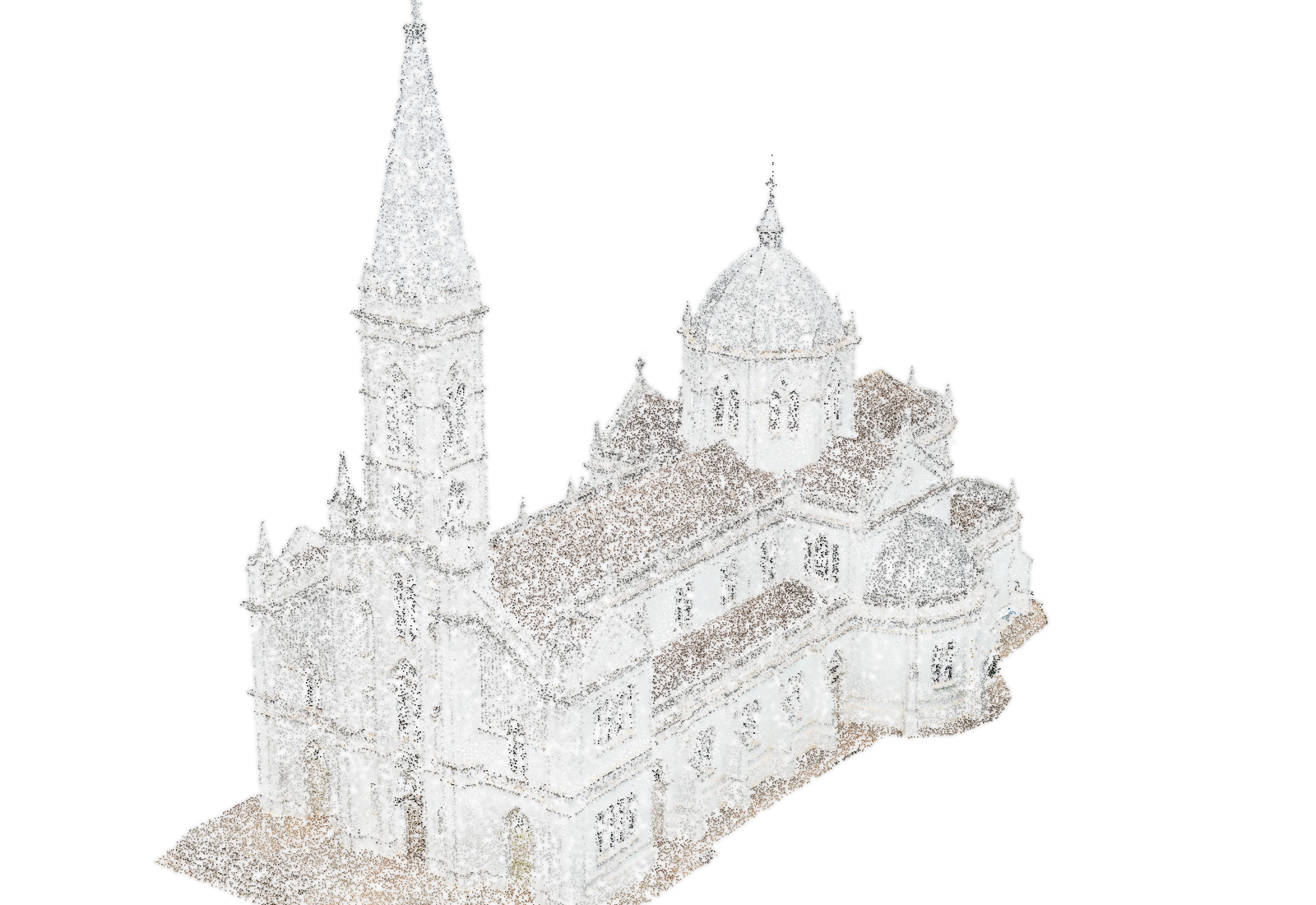
The whole cathedral, point by point.

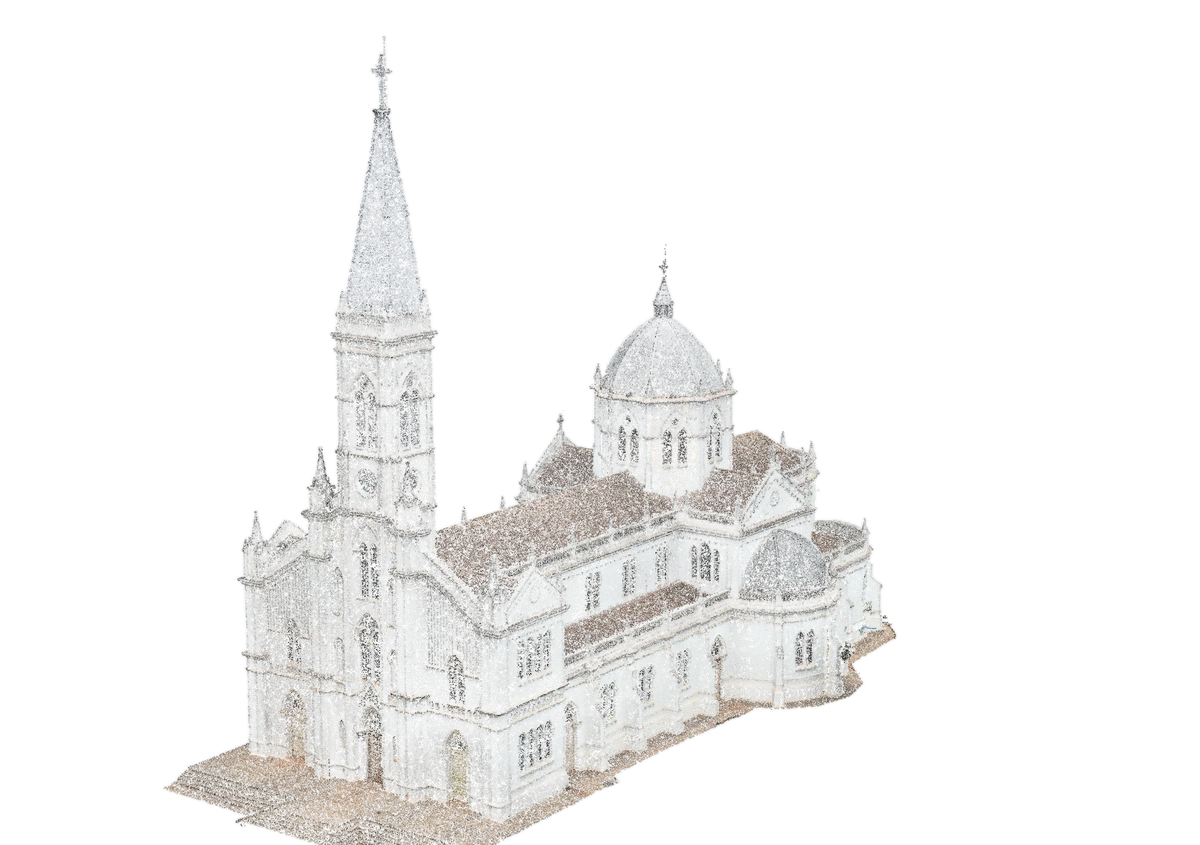
Rotate, zoom in and dive into the cathedral, measure with the ruler and see the cuts that open it from the inside.

Open the point cloudOpens on another page (in Portuguese)
Points 0
Beam 0%
View the cloud by
The cathedral in points

Discover the cathedral
through the point cloud.

Each point stores a position and the color of the surface. A beam builds the cathedral, and a laser plane cuts through it from bottom to top, revealing its structure in slices.

The digitization in numbers

151FARO laser scanner positions, outside and inside
9,687Drone photographs in the capture
+1billionPoints in the exterior set of the approved version
650,000Points in the cloud on this page
The Catedral de Luz and the square seen from above, in the approved digital version
Guided tour

Take a closer look.

Six points to get to know the cathedral and the square. Scroll the page or tap a number: at each stop, the view of the digital cathedral, photographs taken by the drone during the digitization, and the history as told by the Diocese of Luz.

On the walk, the stops play on their own, one after the other, with the narration: good for doing in the square, with headphones.

  1. 00 · Welcome

    The cathedral and the square

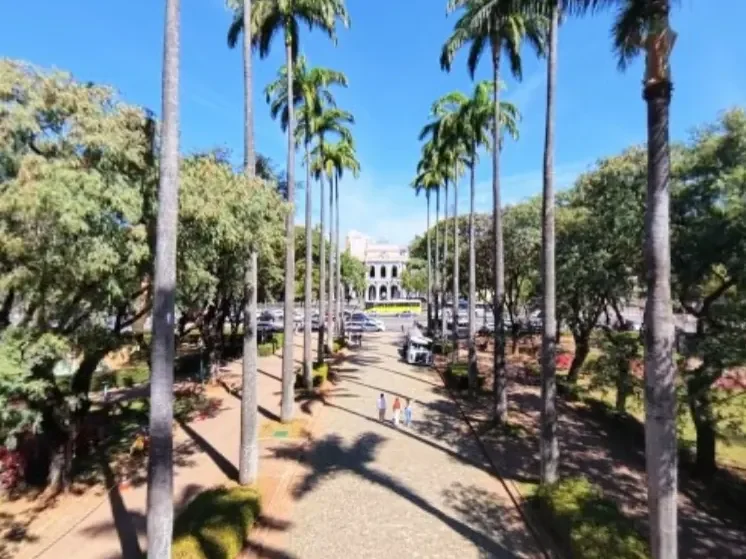
    The cathedral stands at the center of a tree-lined square, with the forecourt and the staircase facing the front and a large cross beside it. The tower is the first thing you see from afar; behind it, the nave, the transept, and the dome form a cross.

    Tap the numbers on the image to go straight to a point.

    Narration · synthetic voice
  2. 01 / The cross

    The cross in the square

    Beside the forecourt

    In a garden bed beside the forecourt, a large white cross marks the arrival at the cathedral. It stands in line with the facade, among the trees of the square, and can be seen by those climbing the staircase.

    Photo descriptions

    First photo: a view from above, next to the white facade of the cathedral; on the left, in a patch of grass, the white cross, tall and with straight arms, among trees. Second photo: the forecourt seen up close, with its hexagonal stone paving, the wide staircase that rises to the portals, and, in the background on the left, the cross.

    Narration · synthetic voice
  3. 02 / Facade

    The facade and the portals

    Inaugurated on September 21, 1941

    Three portals open the cathedral onto the forecourt. The central one, the tallest, stands beneath the tower; above it, layered moldings and ornaments in relief draw the eye upward. According to the Diocese of Luz, the inauguration, on September 21, 1941, coincided with the visit of Dom Antônio dos Santos Cabral, then archbishop of Belo Horizonte.

    Notice the three glass circles above each door.

    Photo descriptions

    First photo: the white facade seen from the front, from the top of the forecourt. The tower occupies the center and rises above the pediment; on both sides, lower sections end in pinnacles. At the bottom, three pointed-arch portals, the central one larger than the side ones, each with three green glass circles at the top. Second photo: a diagonal view from above of the open central portal and the wide staircase of the forecourt. On the left, among the trees, the white cross.

    Narration · synthetic voice
  4. 03 / Tower

    The tower

    A work of many hands

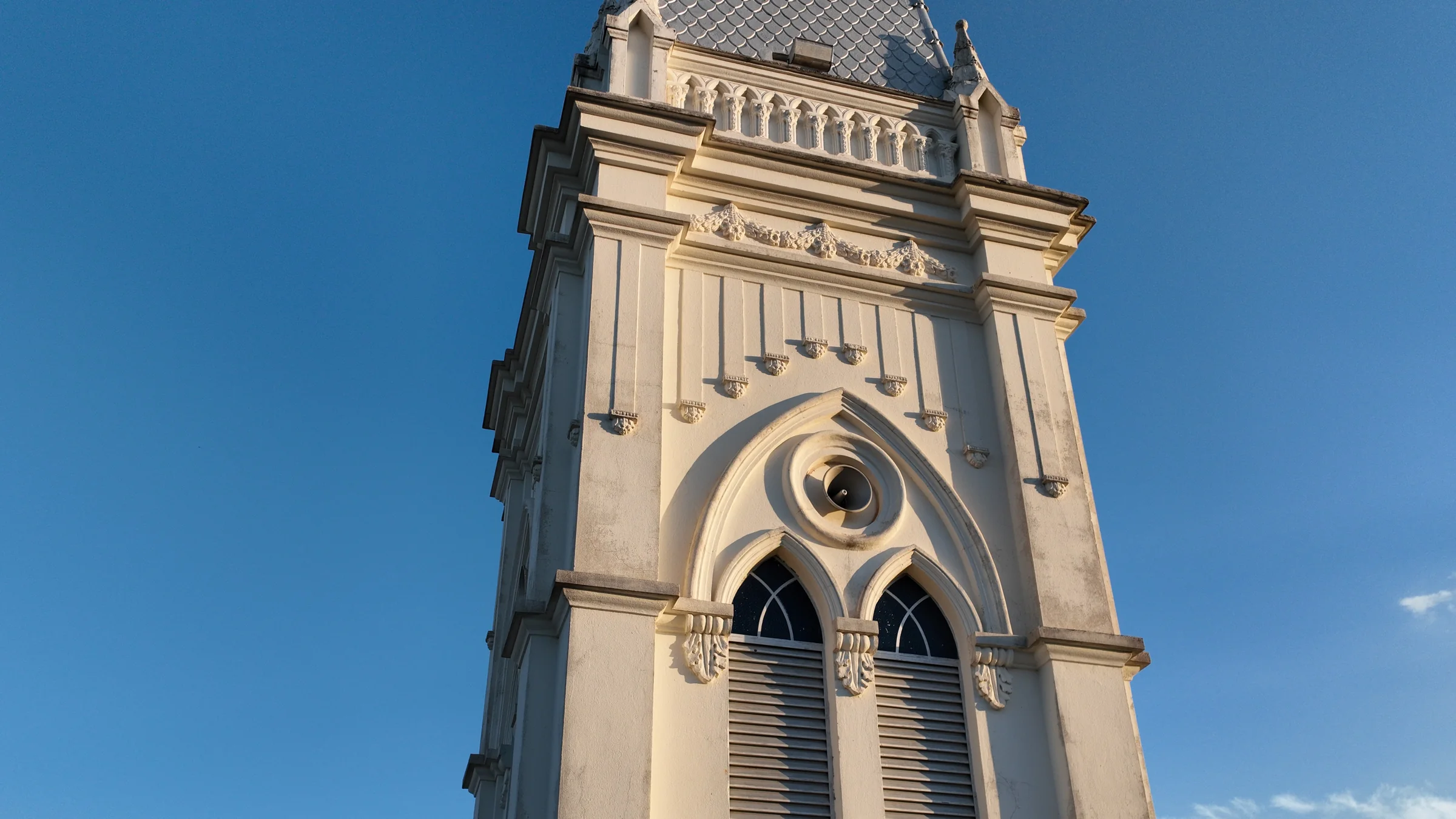
    Construction began in 1936. According to the Diocese of Luz, Dom Manoel led the construction, and the faithful took part in community work efforts and in raising funds. At the top of the tower is the belfry with the clock; above it, the plate-covered spire and, at the very top, the metal cross.

    Photo descriptions

    First photo: the belfry seen up close, from below, against the blue sky. Two tall, narrow windows, closed with louvers, sit side by side under a pointed arch; above them, a small rose window. Second photo: the metal cross at the top of the tower, silhouetted against the late-afternoon sky, with the horizon and the city of Luz far below.

    Narration · synthetic voice
  5. 04 / Dome

    The dome

    A reference in Rome

    According to the Diocese of Luz, the design was born, at the request of Dom Manoel, as an adaptation of St. Peter's Basilica in Rome. The echo of it is in the dome over the crossing of the nave and the transept, with its drum of windows and its covering of overlapping plates, like scales.

    Photo descriptions

    First photo: an aerial view from behind the cathedral. The gray dome, with a lantern and a cross on top, rises above a white drum with arched windows; in front of it, the roof of the apse, edged with balustrades and pinnacles. Second photo: the dome seen from above and up close, covered with small rounded gray plates, overlapping like scales and divided into segments by ribs.

    Narration · synthetic voice
  6. 05 / Sides

    The sides

    Windows, buttresses, and pinnacles

    Along the sides, the nave repeats in a steady rhythm: paired pointed-arch windows between buttresses, a continuous balustrade up high, and pinnacles marking each bay. In the middle, the arms of the transept project outward, each with its own small dome.

    Photo descriptions

    First photo: the side seen from above, at a diagonal: the tiled roof of the side aisle runs along the wall, edged by a white balustrade with pinnacles; above it, the windows of the central nave. Second photo: the side wall up close, with pairs of tall pointed-arch windows with green glass, separated by buttresses, and the paving at the foot of the wall.

    Narration · synthetic voice
  7. 06 / Apse

    The apse

    The back of the cathedral

    At the back, the cathedral ends in an apse with a rounded plan, covered by a fan-shaped roof and edged by the same balustrade with pinnacles. At its foot, the stone paving runs all the way around the building.

    Photo descriptions

    First photo: the apse seen from above, with its fan-shaped tiled roof, the white balustrade with pinnacles, and, below, paired pointed-arch windows. Second photo: the base of the apse, with a narrow arched door and the stone paving that runs around the cathedral.

    History: Diocese of Luz ↗ · Photos: DJI Matrice 4E drone, Minas Imersiva digitization, September 2026.

    Narration · synthetic voice
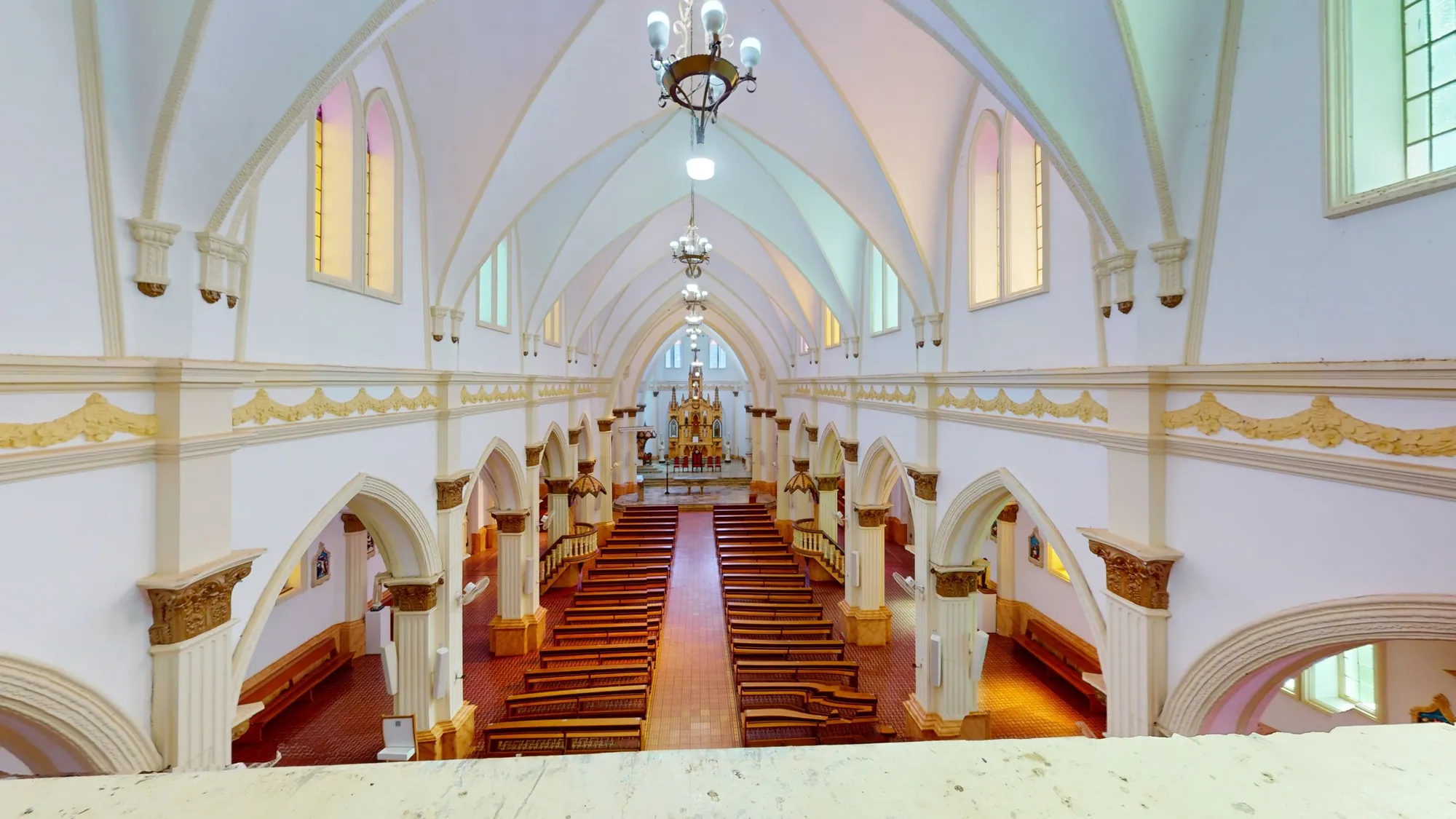
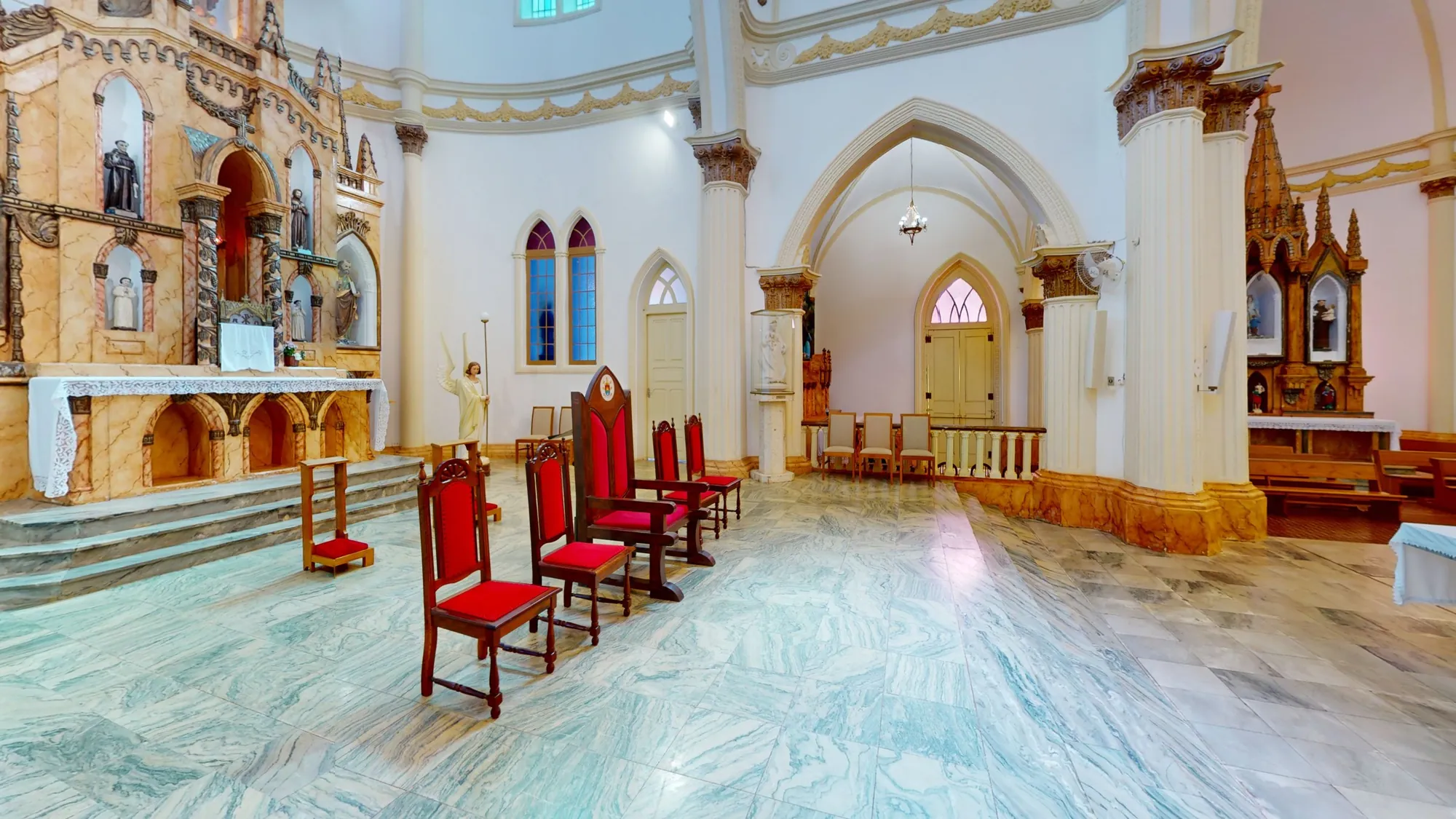
Central portal of the Catedral de Luz seen from the front, with the door open and the dark nave beyond (view generated from the laser scanner panorama) Nave of the Catedral de Luz seen from above, with the arches and the altar at the far end Altar of the Catedral de Luz, with stained glass behind it
Inside

Step through the door.

Scroll with the mouse to go inSwipe up to go in

The nave

On the inside,
the light changes.

Arches, stained glass, and the whole nave, recorded position by position.

The inside tour opens the Matterport viewer, an external service that may use its own cookies. Nothing from it is loaded before you choose. Privacy

360° films

Be inside the cathedral.

360-degree images take you to the middle of the nave, to the crossing under the dome and to the high gallery: look up, to the sides and behind you, as if you were there. On a computer, drag to look around; on a phone, move the device; in a virtual reality headset, turn your head.

From record to digital

One architecture. Many layers.

The same cathedral, seen in layers of the digitization. Drag the line to compare and choose the pair of layers below. Then the cutaways open up the cathedral and show the recorded interior.

Catedral de Luz as a point cloud Catedral de Luz with texture PointsTexture
The drawn cathedral

The facade, as in a drawing.

Head-on and without perspective, the way architects draw: the tower in the centre, the three portals below and the two lower side bodies, each with its pinnacle. The glass, the wooden doors and the roofs have their own colour.

The drawing gains volume.

Turning a little, the facade becomes a building: the long nave appears, along with the arms of the transept and, farther back, the dome and the apse.

And it opens into parts.

The tower, the nave, the two arms of the transept, the dome over the crossing and the apse: the pieces that form the cross-shaped plan, separated by straight cuts.

Everything goes back into place.

Scroll down to compare the drawing of the facade with the photograph and see the measurements.

Drawing and photograph

The same facade, two ways.

Drag the line to compare the drawing with the photograph of the facade, at the same scale. The main measurements appear over the drawing.

Films of the cathedral

Outside and inside, in motion.

The square and the cathedral from outside, the details up close, the nave and the dome from inside, and the cutaways of the digitization. Choose a film and tap a chapter to go straight to it.

End of the Catedral de Luz pageBack to the top ↑

Beyond this page

Other Minas Imersiva heritage sites

Pages about other places in Minas Gerais, unrelated to the Catedral de Luz.